Monday's worksheet,
made on Sunday.
Nine small tools for secondary computing teachers (KS3, GCSE, A-level): mark a mock, make a Parsons problem, a trace table or a seeded binary sheet with its key. They run on your own Mac, print in a plain house style, and take no pupil data.
Two lines in Terminal, once you have uv
uv tool install --python 3.12 git+https://github.com/ColePoppleton/Staffroom@main
staffroom
No uv yet? Its installer is one more line, on the Install page; open a new Terminal window after it. No GitHub account is needed. Needs macOS 14 or later.
Stored, on this Mac only
Your settings, an index of the files (and their text) in your resources
folder, run counts per tool and a log of file paths, under
~/.config/staffroom/; lesson copies and outputs in folders you choose.
Every path is listed.
Never stored
A name, candidate number or row of marks from a marks file: identifier columns are dropped on load and only class-level aggregates are saved. No log holds a value from your files. What the filter catches.
Check it yourself
No account and no server: the only network call asks GitHub which release is newest, when you press Check again and at most once a day when Staffroom opens (untick it in Settings › Updates). Removing every trace is deleting a short list of folders. Which ones.
What comes out
Real first pages, made from the example files in the repository. Each sheet comes with its answer key as a separate file, in PDF and Word.
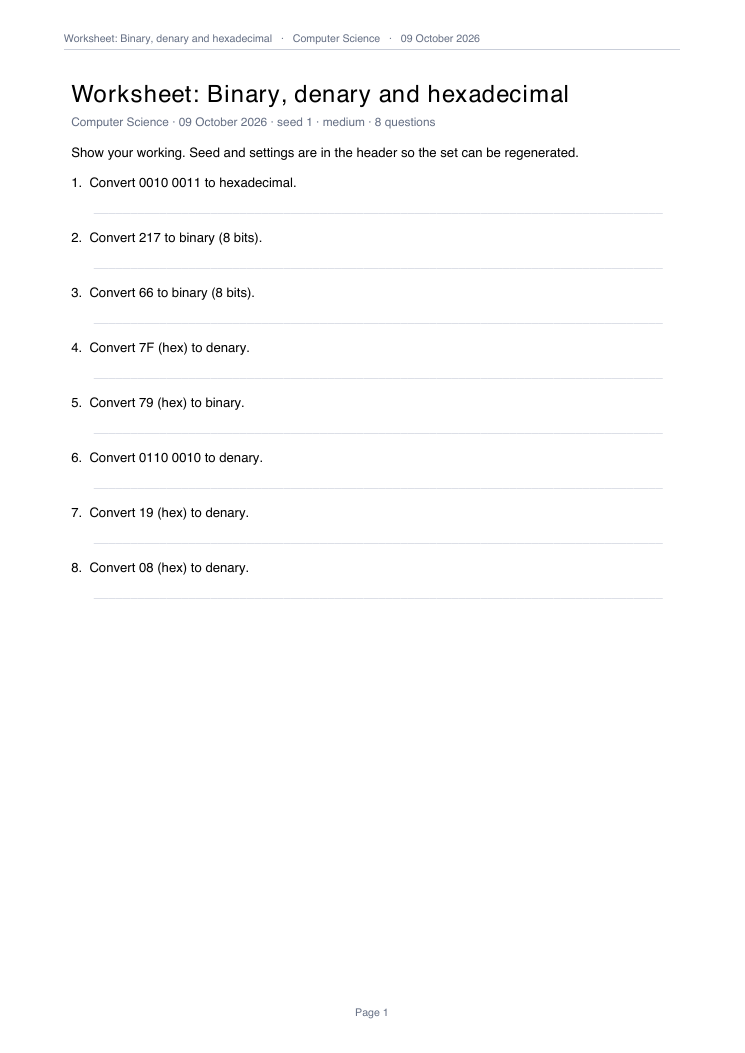
Worksheet Seeded binary, logic, file-size and compression questions; the seed is in the header, so the same sheet comes back.
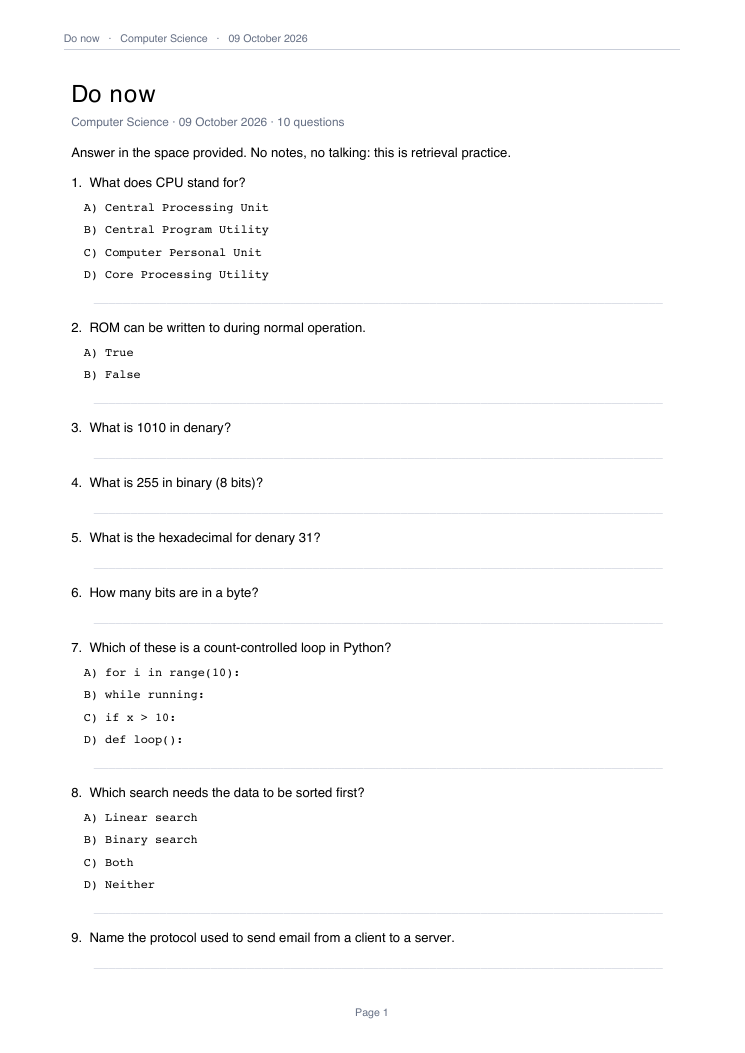
Quiz One Markdown question bank: a printed do-now (shown), Kahoot or Forms.
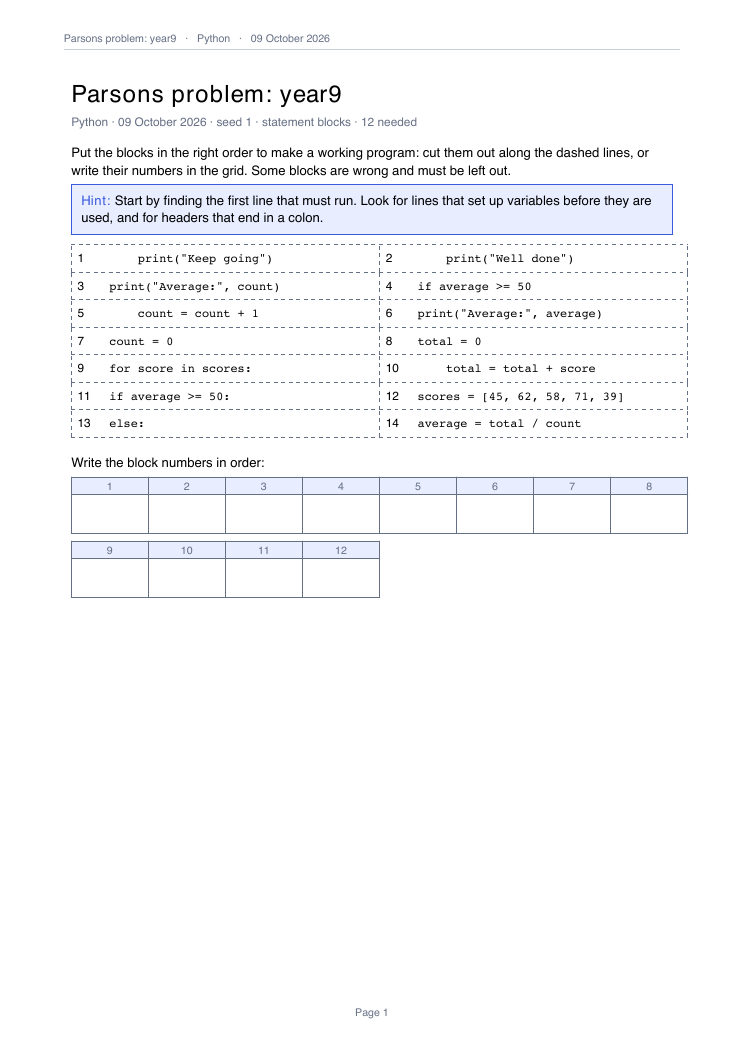
Parsons A working program cut into numbered blocks, with distractors and an answer grid.
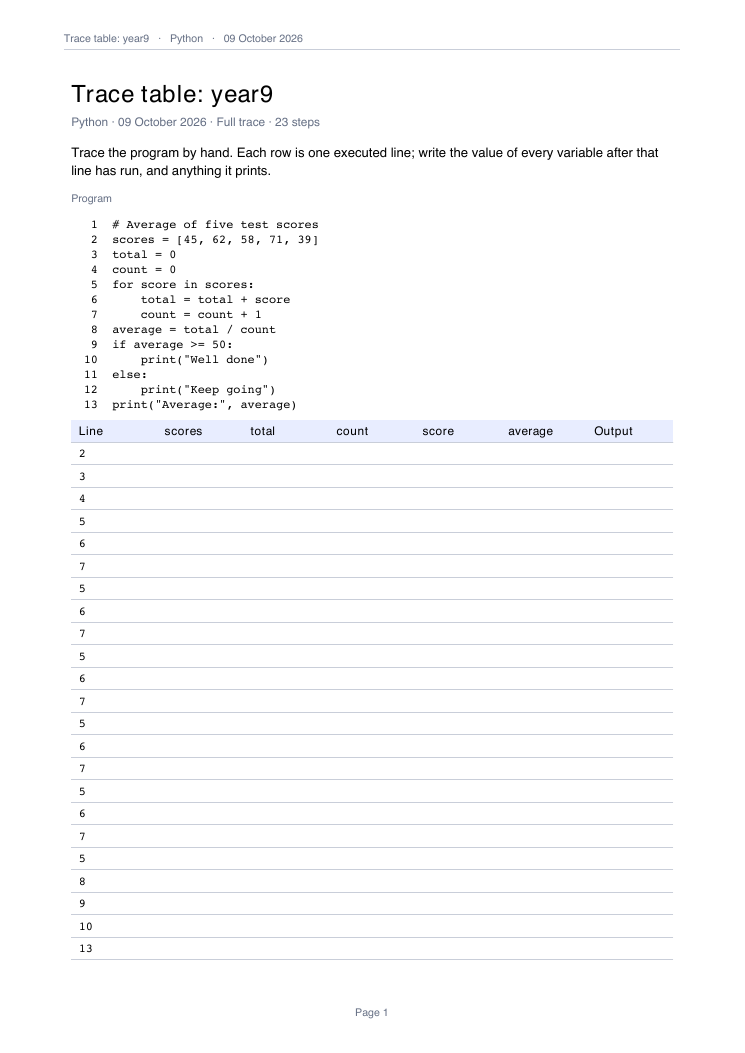
Trace A blank trace table from a sandboxed run; the completed one is the key.
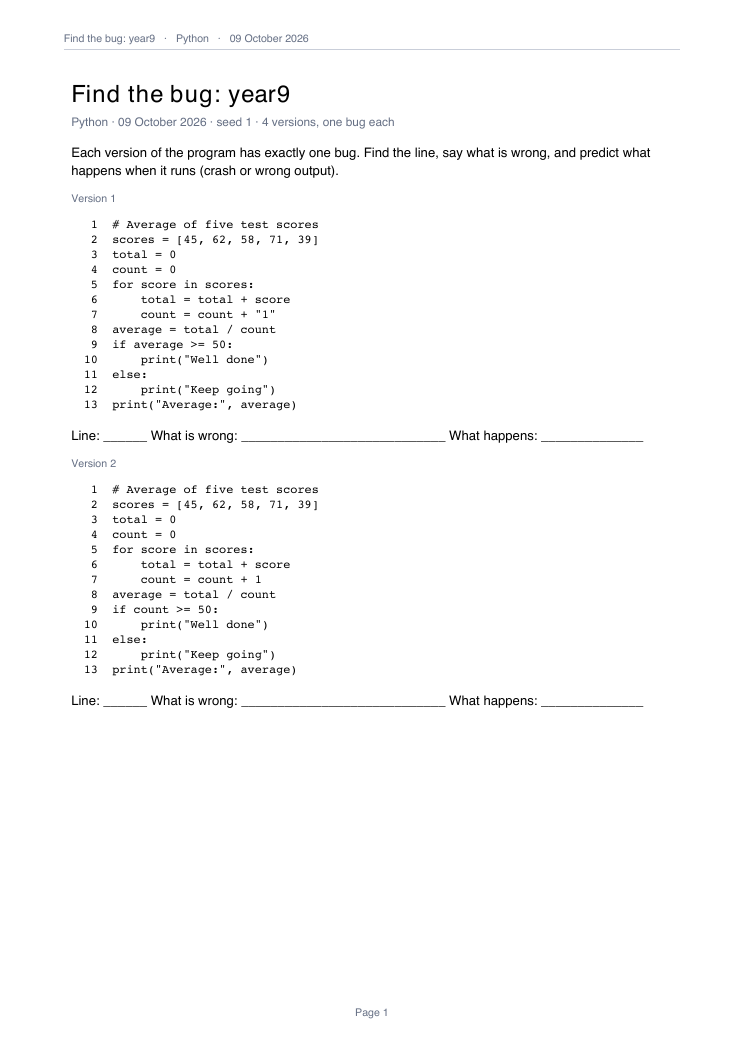
Bugs One controlled error per copy; the key says whether each crashes, prints the wrong thing or runs the same.
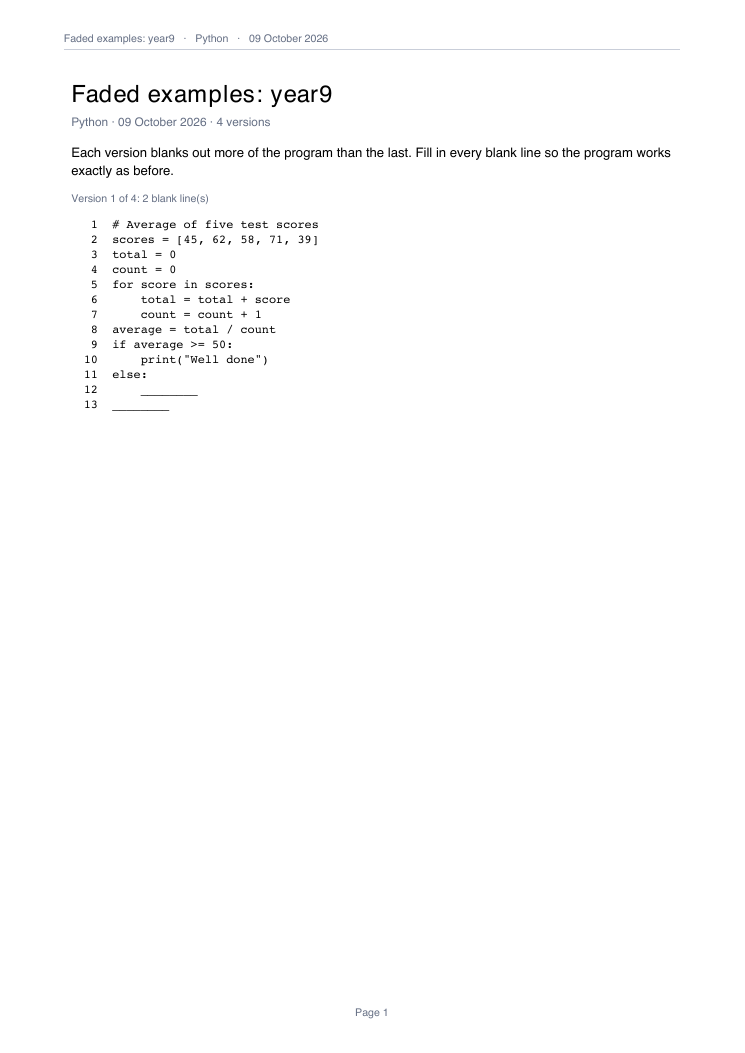
Fade Worked examples with more of the program blanked out each time.
// Average of five test scores
scores = [45, 62, 58, 71, 39]
total = 0
count = 0
for score_index = 0 to scores.length - 1
    score = scores[score_index]
    total = total + score
    count = count + 1
next score_index
average = total / count
if average >= 50 then
    print("Well done")
else
    print("Keep going")
endif
print("Average:", average)
Pseudocode Python into OCR Exam Reference Language (shown) or AQA pseudocode, and back, with a could-not-translate list.
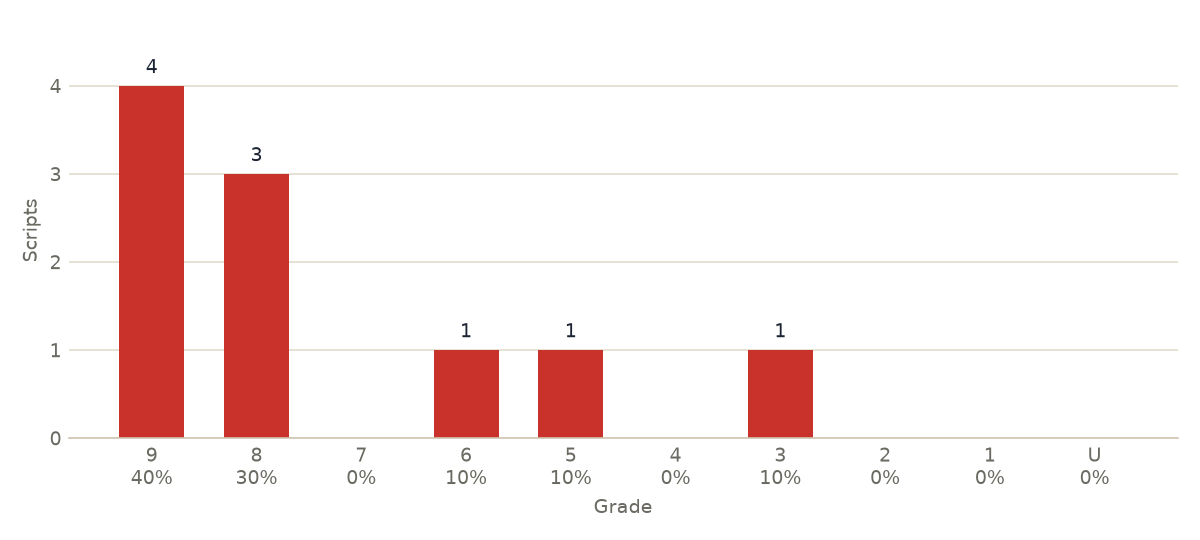
Marks Grades, the distribution and the questions to reteach from a mock. Only class-level results are saved.
Classroom and the Resource Library
make no new pages: they open, copy and find the files you already have.
Every tool has a command-line twin (staff <tool> ...), so anything you can
click you can script. Outputs says where every file goes
and what it is called; the Glossary explains the words
the panels use.