Resource Library
The Library, first in the sidebar, indexes your resources folder. Its page has the folder tree and search in one column and the chosen file beside it: the file's tags as chips, a use bar, then the file itself. Tags and notes are kept in a sidecar file, so the resources themselves are never written.
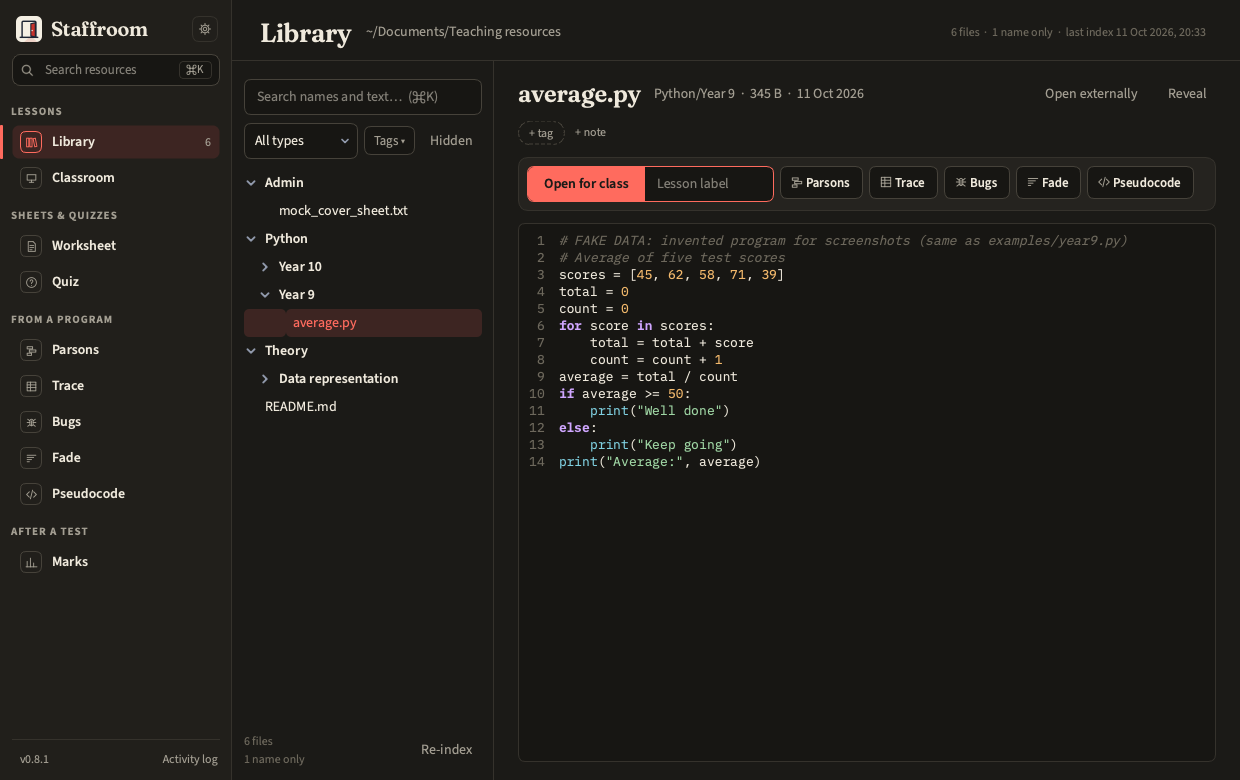
- Search covers file names and the text of
.py,.txt,.md,.csvand.pdffiles. Office files (.doc,.docx,.ppt,.pptx,.pub,.xlsx) are never parsed; they open in their native app. - Previews: Python with highlighting, plain text, images, the first page of a PDF, or an open-externally card.
- Cloud placeholders (files not downloaded on this Mac) are marked, not fatal.
- Re-index is incremental; the first index of a few hundred files takes seconds.
Using a file
The use bar under the file's title hands it on:
- Open for class with the lesson label typed beside it: select the file,
type
P3 Y9 loops, press Enter (or ⌘O). The Classroom tool copies it into today's session folder and opens the copy in your editor, exactly as from Classroom itself; the original is never touched. Classroom › then shows today's sessions. Offered for code and text files (.py,.txt,.md,.csv), which is what the editor opens. - One button per tool that takes this kind of file:
.py→ Parsons, Trace, Bugs, Fade, Pseudocode;.md→ Quiz;.csv/.xlsx→ Marks;.txt→ Pseudocode. Each opens the tool with the file already picked. The list comes from the tools' own inputs, so a new tool appears by itself. - Office files, images and PDFs get Open externally as their main action (Office files are still never parsed). A file not downloaded on this Mac, or indexed by name only, is not offered for class or to a tool.
Reveal sits quietly beside the title, with Open externally when the use bar does not already offer it. Tools still reach the library from their own inputs too: From library… on every program input and on Classroom's and Quiz's file inputs.
Keeping things out
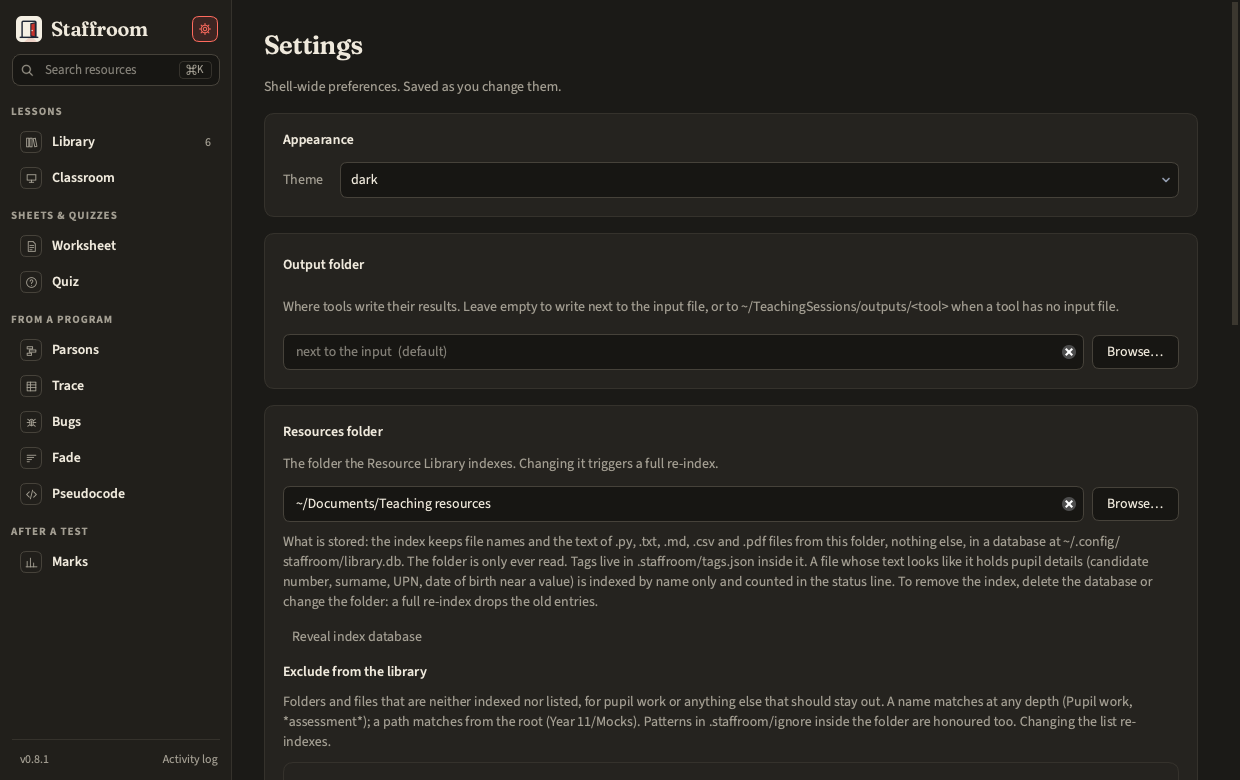
The index copies the text of searchable files into ~/.config/staffroom/library.db,
so pupil work should not be under the resources folder at all. Two guards help:
- Exclusion list (Settings › Resources folder, or
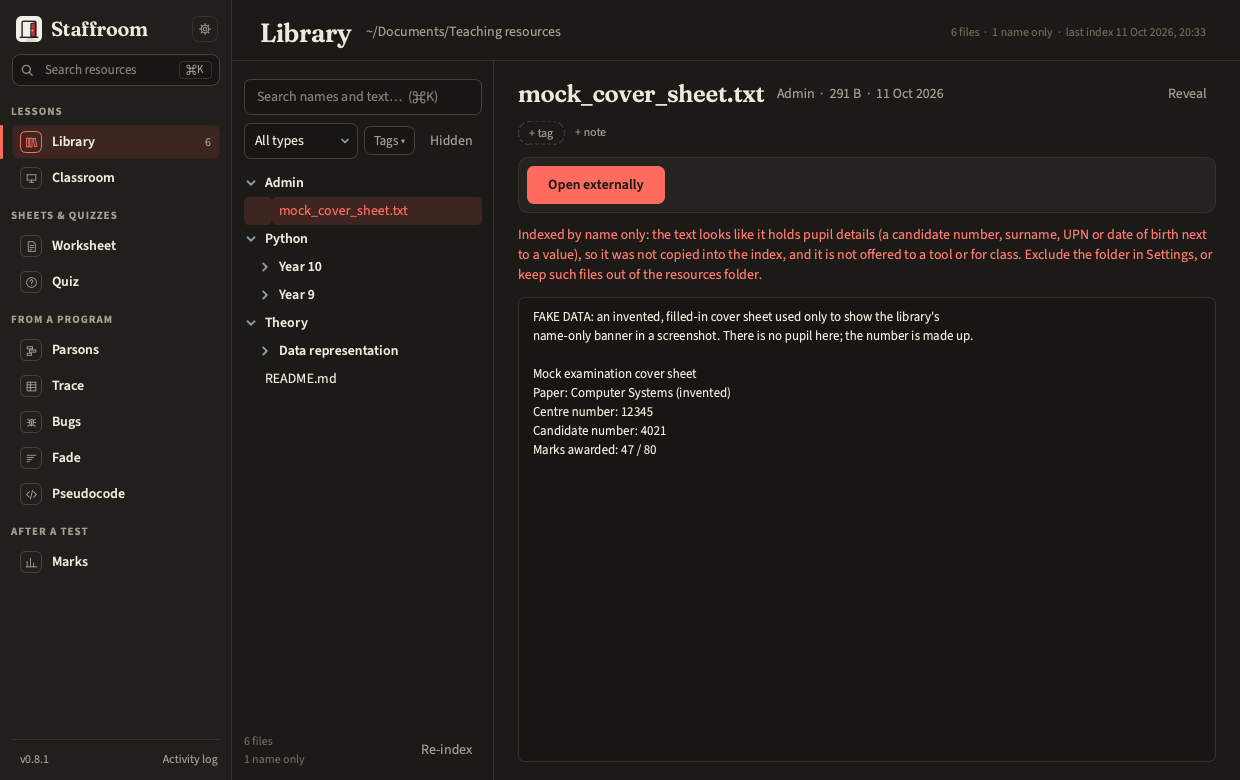
staff library exclude). A name matches at any depth, with*and?wildcards (Pupil work,*assessment*,*.bak); a path matches from the root (Year 11/Mocks,*/submissions). The same patterns, one per line, may live in<root>/.staffroom/ignorefor a folder shared between machines; the app reads that file and never writes it. Excluded paths are neither indexed nor listed, and changing the list re-indexes. - Name only. A file whose text looks like it holds pupil details (a
candidate number, surname, UPN or date of birth next to a value) is indexed
by name only. The index summary, the Library's header and column footer,
and
staff library statusshow the count; the preview carries a banner, and the file is not offered for class or to a tool. This is a warning to act on, not a filter to rely on.
Exactly what the index holds, where it lives and how to delete it is in Privacy.
staff library index
staff library search while --kind python
staff library tags "Python/loops.py" --set loops,ks3 --notes "Good starter"
staff library exclude --add "Pupil work" --add "Year 11/Mocks"
staff library status